TL;DR
In short
- P2P synchronizes folders directly between devices, without a central server. The result: more control, better LAN speeds, and less reliance on the cloud.
- Two relevant players for professional and personal use: Syncthing (free and open source) and Resilio Sync (proprietary, with a paid Pro version).
Syncthing
- Open source, auditable, free of charge. Excellent for sovereignty and confidentiality.
- End-to-end encryption, strict device-by-device pairing, discovery and relay servers that you can replace with your own.
- Strong on performance and reliability, built-in versioning, send-only and receive-only modes.
- Weak points: no native selective sync, limited iOS ecosystem, requires a bit more setup.
Resilio Sync
- Proprietary, very easy to deploy and use. Native apps everywhere, including iOS.
- Major asset: selective sync with placeholders. Ideal when disk space is tight.
- Very fast, especially on large files and multiple sources. Useful Pro options: scheduling, fine-grained permissions, peer-side encrypted folder.
- Weak points: licences to budget for, closed code, dependence on the vendor.
When to choose what
- Sovereignty, control, and zero cost as priorities: Syncthing.
- Simplicity, iOS mobile, and on-demand sync as priorities: Resilio Sync.
- Massive volumes and multi-site setups: both are suitable. Resilio keeps a slight edge in raw speed on certain configurations, while Syncthing shines on the LAN and in pure decentralization.
Best practices in business
- Keep at least one always-on node per site to ensure availability.
- Enable versioning on the clients, or a receive-only folder, to avoid losses from deletions.
- Encrypt disks at rest if the workstations hold sensitive data.
- Segment by project folder to limit the volume being synchronized.
- Document user onboarding and pairing to reduce friction.
Key takeaway
- Modern P2P delivers a Dropbox without the cloud. Syncthing maximizes autonomy and sovereign compliance. Resilio maximizes ease of use and user flexibility. Choose according to your priorities and your IT maturity.
Introduction: file sharing is evolving
In modern businesses, file sharing and synchronization are everyday needs. Many professionals use cloud services such as Dropbox, OneDrive, or Google Drive to collaborate and access their documents anywhere. However, these centralized solutions raise questions of security, confidentiality, and data sovereignty – particularly in Quebec, where the protection of sensitive information and technological independence are growing concerns. This is where peer-to-peer (P2P) synchronization solutions come in, allowing files to be exchanged directly between devices without going through a third-party server.
In this article, we will explain how P2P file sharing works, then take a detailed look at two flagship peer-to-peer synchronization tools: Syncthing (open source software) and Resilio Sync (proprietary software, formerly BitTorrent Sync). We will compare them with other P2P alternatives, contrasting the open source and proprietary approaches. We will then explore the issues of security, performance, digital sovereignty, and confidentiality, before presenting concrete examples of professional use (SMBs, agencies, multi-site setups, and so on). Finally, we will close with recommendations for different use cases: mobility, security, autonomy, and more. Our goal is to keep an educational and accessible tone, for a non-technical professional audience looking to take back control of their data without unnecessary complexity.
How does P2P file sharing work?
P2P (peer-to-peer) refers to an exchange model in which each participant on the network is both a client and a server. In practical terms, in P2P file sharing, computers communicate directly with one another over the Internet, without an intermediary central server. Each user can simultaneously send and receive data from another, forming a network of interconnected "peers."
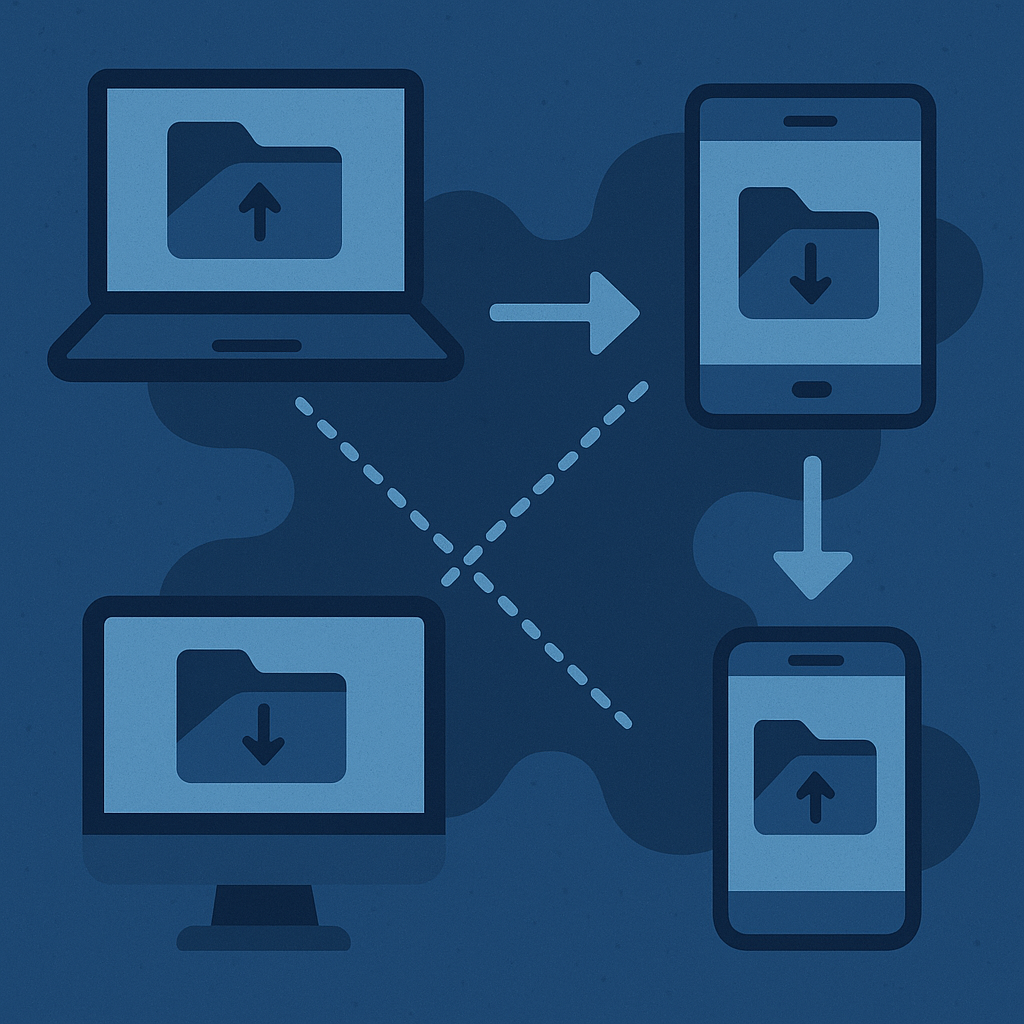
The key technical advantage of P2P over a centralized system is that a file in high demand is shared faster: the more peers that hold all or part of the file, the faster the download, thanks to all of these combined sources (the principle of swarming)fr.wikipedia.org. Conversely, in a centralized model, a single server can become a bottleneck if it has to serve too many clients at oncefr.wikipedia.org. P2P distributes the load across the participants in the network.
Historically, the general public discovered P2P through music and movie sharing (Napster, KaZaA, BitTorrent, and so on), often in contexts of illegal downloading. However, the same P2P technology can be used legally in business to synchronize work files between colleagues. For example, many Linux distributions use BitTorrent (P2P) to distribute their ISOs more efficientlyfr.wikipedia.org. In professional use, a private P2P network lets you synchronize documents in real time across a team's multiple computers, without going through the cloud or exposing your data to an external provider.
In summary, P2P creates a distributed local cloud: each connected device shares files with the others. This provides independence from central servers, along with greater resilience (no general outage if one server goes down, since each node remains autonomous). Let's now look at how this approach is put into practice by Syncthing and Resilio Sync.
Syncthing: open and decentralized synchronization
Syncthing is open source software (MPL 2.0 licence) for continuous file synchronization. Launched in 2013 by Jakob Borg, it was designed from the outset as an open alternative to BitTorrent Sync (the former name of Resilio Sync). Syncthing lets you synchronize folders across several machines over a secure P2P connectiondoc.ubuntu-fr.org. It runs on a wide range of platforms: Windows, macOS, Linux, BSD, Android, and so on, and even on NAS devices. In other words, Syncthing helps you build your own personal cloud, with no subscription and without depending on an external provider.
How it works and its characteristics
Each device on which Syncthing is installed acts as a node in the P2P network. On first use, Syncthing generates a unique identity (an ID) and encryption keys. To synchronize two devices, you must pair them by exchanging their IDs and mutually authorizing the connection – a configuration step that ensures only approved machines take part in the sharingclubic.com. Once connected, the nodes detect file changes (additions, modifications, deletions) and immediately replicate them to the other devices in the cluster.
Syncthing adopts a fully decentralized architecture: there is no central server through which your data would pass or be storedclubic.com. Instead, devices find their way to one another either through local discovery on the LAN, or through public discovery servers (provided by the Syncthing project) that help remote nodes locate each other over the Interneten.wikipedia.org. When devices are behind firewalls/NAT, Syncthing can use relay servers (also community-provided) to relay the encrypted dataen.wikipedia.org. Note that these discovery and relay servers do not store any files: they merely facilitate the connection, while the exchanges remain end-to-end encrypteden.wikipedia.org. An organization can even deploy its own discovery and relay servers if it wants complete independenceen.wikipedia.orgen.wikipedia.org. In short, you can use Syncthing without any connection to the community servers, for operation as a fully closed system if desireden.wikipedia.org.
On each node, Syncthing offers a simple web administration interface that lets you see the synchronization status, add folders or peers, and configure options. Data transfers use a custom synchronization protocol (the Block Exchange Protocol) optimized to be efficient with bandwidthclubic.comen.wikipedia.org. For example, Syncthing compresses the metadata and the data being transferreden.wikipedia.org, and splits files into blocks so that only the modified portions are transferred. If it detects that a block of data has not changed and already exists at the destination, it reuses it without resending iten.wikipedia.org, which greatly speeds up the sync. Moreover, when a file is renamed or moved, Syncthing is able to recognize this and avoid a full re-copy, simply adjusting the locationen.wikipedia.org. Thanks to these mechanisms, synchronization is very fast and incremental, even on large volumes.
When the same file is modified concurrently on two devices, Syncthing handles conflicts by preserving both versions: the older version is renamed with a "sync-conflict" suffix and a timestamp, so that the user can compare and chooseen.wikipedia.org. In addition, Syncthing offers versioning (archiving) of deleted or modified files: you can enable a local "trash can" (Trash Can) or a staggered chronological versioning (staggered), keeping older versions for a certain time for restoration if neededen.wikipedia.org. This is very useful for a business, because synchronization is not a backup in itself: without versioning, an accidental deletion on one device would propagate to all the others. With versioning enabled, you keep a backup copy of deleted files, improving data safety.
Syncthing also lets you set a folder to "send only" (send-only) or "receive only" (receive-only) modeen.wikipedia.org. For example, a send-only folder will ignore changes coming from the others (useful for a master folder that distributes documents without ever being altered by the clients), whereas a receive-only folder can serve as a backup (it receives all updates without ever sending a change back, avoiding the propagation of a deletion made locally by mistake). This flexibility lets you adapt the synchronization to your business needs (two-way sharing, one-way distribution, backup, and so on).
Advantages of Syncthing
- Open source and transparent: because Syncthing is free and open, its source code can be audited by anyone. This provides a security guarantee: you can verify that no backdoor is present and that privacy is respectedclubic.com. As one article puts it, Syncthing takes the zero central server philosophy all the way by being entirely open source, which inspires confidence in a context where closed software is a worryclubic.com. Moreover, the open source community is active: the documentation is rich and regularly enriched by usersclubic.com, and the developers are present on support forumsforum.resilio.com. For a business, this means you can easily find community support and even adapt the tool to your needs if necessary (thanks to the REST APIs and the many third-party utilities availableen.wikipedia.org).
- Full control of your data: with Syncthing, your files stay stored only on your devices. There is no external cloud server where your data would be copied. This greatly reduces the attack surface and the risk of leaks: no third-party provider that can access or transmit your files. The network exchanges between peers are end-to-end encrypted via TLS (like HTTPS)clubic.com, ensuring confidentiality in transit. Even if Syncthing uses relays or transits over the Internet, the data is unreadable to anyone who intercepts the traffic (including the relay servers, which only see an encrypted streamen.wikipedia.org). The mutual authentication of devices (ID exchange) also prevents a stranger from connecting to your folder by chance. In short, Syncthing offers a level of security and confidentiality suited to a business's sensitive files (R&D projects, client data, and so on), without trusting a third party. For organizations concerned with digital sovereignty, this is a major asset: you avoid depending on foreign infrastructure or obscure proprietary codereddit.com.
- Free and with no size limit: Syncthing is entirely free, with no paid Pro version. It imposes no limit on the size or number of files synchronized. Whether you have a few office documents or terabytes of video, Syncthing synchronizes everything, the only constraint being the storage capacity of your machines and their connectivity. This absence of a financial barrier is valuable for SMBs and the self-employed, who can deploy Syncthing at minimal cost rather than paying for expensive cloud subscriptions, or for public bodies looking to make greater use of open source software.
- Optimized performance: despite being lightweight (written in Go, it uses few resources), Syncthing is designed to perform well even on large volumes. Its protocol transfers only the differences, compressed, and can take advantage of the local network to synchronize at full speed between workstations in the same office. Over the Internet, it uses techniques such as NAT punching and the QUIC protocol (UDP) to improve throughput and reduce latency. Many users report that synchronization is nearly instantaneous for small changes, and that large transfers efficiently saturate their available bandwidth. Compared to uploading to a remote server and re-downloading, P2P can save time, especially in a multi-site context (we will come back to this in the Performance section).
- Features useful in business: in addition to those already mentioned (versioning, one-way folders), there is its cross-platform flexibility (you can synchronize a Windows PC at the office with a Mac at home and a Linux server in a private cloud, for example). Syncthing also runs on Android, which lets you, for example, automatically back up the photos from a work phone to your work PC without going through Google Photos. (On iOS, there is no official Syncthing app because of Apple's restrictions that prevent an app from running continuously in the background. However, third-party apps such as Möbius Sync exist, offering partial Syncthing integration on iPhone/iPad.)
In addition, Syncthing is constantly evolving: in 2023 it moved to version 2.0 with performance improvements, and its community regularly adds translations (it is available in French and more than 60 languages), fixes, and new ideas. This vitality of the project is reassuring as to its longevity.
Limitations and points to watch
- Configuration and interface: Syncthing aims for simplicity, but remains a technical tool to configure. The web interface, while clear, can confuse newcomers with its concepts of device IDs, shared folders, relay addresses, and so on. Compared to a Dropbox where you simply "log in" with an account, Syncthing requires a small initial effort to pair the devices. A non-technical user may need help at first. That said, once set up, the system is relatively autonomous and reliable. Administering Syncthing (adding a new device, handling conflicts, and so on) also requires a minimum of understanding. In a business, this means that a technician or administrator will likely have to configure the tool for the employees, at least initially. In day-to-day use, however, Syncthing can be made almost invisible (it runs in the background and synchronizes without user intervention).
- No selective synchronization: currently, Syncthing always synchronizes the entirety of the shared folders on each participating machine. There is no placeholder feature (virtual files) to download only certain files on demand. This can be a problem on low-capacity devices (for example, a laptop with limited SSD) if the shared folder is very large. Workarounds exist – for example, you can define ignore patterns to exclude certain subfolders on a specific machine – but this remains manual and less convenient than a "synchronize this file only on demand" checkbox. Note that on the Syncthing community side, efforts are underway to provide a form of selective sync through third-party clients (the iOS app Mobius, for instance, offers synchronization of only certain files). Nevertheless, for now, on Syncthing each peer must have the space to store all the shared data. In a business context, if an employee only needs part of a large project, you will have to either create more granular shared folders, or use another solution to avoid duplicating everything.
- No official commercial support: because Syncthing is community-driven, there is no hotline or vendor support contract in case of a problem. The documentation and forums are the main resources. For most SMBs, this is acceptable (all the more so since the community is responsive). But for large enterprises or government bodies that require 24/7 support and a dedicated contact, this model may seem risky. It is always possible to call on specialized third-party open source service providers to support a Syncthing deployment, but it is not provided turnkey by the software vendor (since there is none, strictly speaking).
- Dependence on peer activity: by definition, in a private P2P network, for files to synchronize, at least one other device must be on and reachable. If you have only two workstations (for example, an office PC and a home PC) and they are never on at the same time, synchronization cannot happen until they are connected simultaneously at some point. Likewise, if all the devices in a shared folder are off, there is no permanently available "central" copy. The remedy is often to have one of the nodes act as an always-online server (for example, a NAS or a small server in the cloud or at the office). That way, even if the users' PCs are off, this central node ensures the data's availability and picks up changes as soon as a client connects. In practice, many businesses using Syncthing designate a main device per site (a local NAS) acting as a persistent relay. This works very well, but you have to plan for it in the architecture: Syncthing is not a cloud service hosted by a third party; it is up to you to plan the infrastructure needed for the sync to be continuous (for example, keeping a PC always on to act as the "bridge").
- Limited mobile ecosystem: as mentioned above, on iOS using Syncthing is possible through unofficial apps, but with constraints (synchronization only in the foreground, no deep integration with the file system the way a native Apple app would). On Android, the official Syncthing app works well, but certain Android limitations can affect background reliability depending on the manufacturer (you often have to exclude the app from battery optimizations, and so on). By comparison, solutions like Resilio or proprietary clouds often have better-integrated mobile apps (background synchronization, automatic photo upload, and so on). If smartphone mobility is a crucial criterion, Syncthing does not (yet) offer an experience as smooth as a Dropbox or as Resilio.
Despite these few limitations, Syncthing proves to be a powerful and mature solution for anyone who wants an autonomous, secure, and free synchronization tool. In the next section, we will look at how Resilio Sync positions itself, its main proprietary competitor, which offers a similar approach but with its own advantages and drawbacks.
Resilio Sync: the proprietary heir to BitTorrent Sync
Resilio Sync is the P2P synchronization solution developed by the company Resilio Inc. (founded by former leaders of the BitTorrent protocol). Originally launched in 2013 under the name BitTorrent Sync (BTSync), the product was later renamed Resilio Sync in 2016 when the company became independent from BitTorrent. Unlike Syncthing, Resilio Sync is proprietary software: its source code is not public, and it runs on a freemium model with paid licences to access all features. Nevertheless, the free version of Resilio Sync is already usable with no time limit, with certain restrictions (number of connected devices or folders, for example).
How it works and what sets it apart
On the general principle, Resilio Sync closely resembles Syncthing: it is also peer-to-peer file synchronization, without a central server. The devices running Resilio Sync exchange data directly over the Internet or locally, leveraging the underlying BitTorrent protocol. Indeed, Resilio Sync builds on BitTorrent expertise: it uses a variant of the torrent protocol to split files into segments and transfer them efficiently. As a result, a folder shared via Resilio Sync can take advantage of swarming: if several peers hold the same file, a new peer can download different portions from each, speeding up the synchronization (this behaviour is seen mainly when there are more than 2 devices in a cluster). In addition, Resilio uses UDP and other network optimizations drawn from BitTorrent, which makes it very fast on transfers.
Pairing devices in Resilio Sync is done differently from Syncthing: instead of exchanging device IDs, you share a "sync link" or a secret key tied to each folder. For example, to share a folder, you generate a link (a URL or a QR code) that you send to your colleagues. Anyone who opens this link in Resilio Sync (or scans the QR code on mobile) will join the shared folder, possibly after an administrator authorization depending on the settings. There is therefore a notion of a sharing key per folder, rather than a globally approved list of devices. This approach is simpler for inviting new peers, but some may consider it less granular in terms of control (you are trusting the confidentiality of the shared link). Nevertheless, Resilio offers options: read-only links, single-use links, passwords, and so on, to secure access to the share.
One of the strengths highlighted by Resilio Sync is its user-friendliness. The user interface is polished, with a native graphical client on each platform (Windows, macOS, Linux, and mobile). Everything is unified in a single application. For example, on a smartphone, the Resilio app offers a module to automatically back up the camera roll to a PC. The user experience is close to that of a consumer cloud service, except that the data only passes between your own devices. This ease of use is an asset for SMBs without technical expertise: the installation and initial configuration are guided, and the interface clearly shows which folders are synchronized and with whom.
On the security side, Resilio Sync ensures end-to-end encryption of exchanges via 128-bit AES. According to the official site, a unique 256-bit key is generated per folder and is used to encrypt the data exchanged (BitTorrent Sync already used this pre-shared key principle). The encryption is transparent to the user, and the data can only be decrypted by authorized peers (who hold the key via the sharing link). Just like Syncthing, Resilio does not use a central storage server: your files stay on your machines. There are indeed tracker servers and relays operated by Resilio to help peers find each other and to relay if necessary, but they store nothing other than connection metadata (or possibly encrypted fragments in transit).
Resilio Sync actually offers several variants of its product: the Home version (free, or paid Pro for personal use) and Resilio Connect, a very advanced enterprise offering. Resilio Connect adds centralized deployment features, fine-grained management (admin dashboard, API, scripting), and professional support. In this article we focus on Resilio Sync (Home/Pro), which is the functional equivalent of Syncthing for a small organization. But it is good to know that for large-scale needs, the company offers a complete commercial solution.
Advantages of Resilio Sync
- Ready to use and user-friendly: Resilio Sync has a reputation for being easy to get to grips with. The user interface is clean and intuitive. For example, to share a folder, a few clicks are enough to generate a sharing link. There is no need to manually exchange IDs or go to a separate web interface: everything is done in the client application. This ergonomics can save a business time: fewer configuration errors, simpler user training. Several user comments note that "it works right away" and that the software is "very easy to grasp." This is an important point if you want to deploy it broadly among non-technical employees.
- Selective synchronization (placeholders): one of the major assets of Resilio Sync Pro is the ability to synchronize only certain files/folders on demand, thanks to the Selective Sync feature. In practical terms, the user sees the complete folder tree of the shared folder, but can choose to physically keep only a few files on their machine, the others being represented by symbolic files (placeholders). When they need a non-local file, a double-click triggers its download. This feature – similar to what Dropbox offers with Smart Sync – is extremely useful for saving disk space on endpoints. For example, a video team can share a 2 TB folder, but each editor can download only the projects currently relevant to them, while still being able to access the others at any time via the placeholder. Since Syncthing does not (yet) offer this capability, it is a decisive advantage of Resilio in certain use casesforum.resilio.comforum.resilio.com. Note that Resilio Connect (the enterprise version) goes even further with agents that can download on demand via streaming, and so on.
- Excellent performance: built on the proven BitTorrent protocol, Resilio Sync is designed to be fast and efficient, particularly on large files or multiple streams. Transfers are segmented and parallelized. On a Gigabit local network, Resilio can easily saturate the throughput (over 100 MB/s) to synchronize a large file, where less optimized protocols would top out lower. In a WAN environment (remote sites), it uses UDP uTP and other optimizations that often give it a head start. Users who have compared the two solutions note that Resilio was faster "out of the box" than Syncthing in their teststruenas.com. For example, Resilio claims that a 1.36 GB video file transfers in 41 s between two PCs (8× faster than uploading via Google Drive, according to their benchmark)resilio.com. Of course, real-world performance depends on many factors (encryption, CPU power for hashing, network latency, and so on), and Syncthing has made a lot of progress (it now also uses the QUIC protocol over UDP). But generally speaking, Resilio is considered very reliable in terms of speed and handling of large volumes. Its P2P protocol can take advantage of multiple simultaneous sources: if a file is already present on 3 remote servers, a new arrival can download from all 3 in parallel, reducing the total time. This efficiency is a strong argument for businesses handling large files (video, imaging, backups, and so on) or wishing to synchronize sites over limited Internet links: Resilio maximizes the available bandwidth.
- Advanced features (Pro): in addition to selective sync, the Resilio Sync Pro version brings other features useful in a professional context. For example: per-user permissions management (setting one peer to read-only, another to read/write), the ability to configure schedules (a scheduler) to restrict synchronization to certain time slots – handy for not saturating the network during the day, for instanceforum.resilio.com. Resilio Pro also integrates a differential acceleration system to synchronize a large number of small files faster, and a "Local Sync" mode to synchronize folders within the same machine or the same local network more quickly. In addition, Resilio keeps an archive of deleted files (in a hidden .sync/Archive folder), allowing inadvertently erased data to be recovered – similar to Syncthing's versioning feature. In short, the paid version offers a complete range of options to adapt the tool to various business scenarios. The trade-off is of course the cost (a licence to purchase per user or per workstation, depending on the offering).
- Enterprise support and ecosystem: by opting for a commercial product like Resilio, a business can benefit from official support in case of a problem, which reassures some IT departments. Resilio Inc. offers assistance and regular updates (although users have criticized a slowdown in the update pace at one timeforum.resilio.com). Above all, if needs go beyond the simple sync tool, the Resilio Connect solution lets you go further: centralized administration of hundreds of nodes, dashboards, encryption at rest, pre- and post-synchronization scripts, and so on. Large companies and organizations (DHL, Microsoft, universities, and so on) use Resilio Connect to distribute data around the world. This shows that the underlying technology is scalable and robust. For an SMB, the Sync Pro version is often enough, but knowing that an upgrade to Connect is possible makes Resilio a durable choice that can grow with the business.
- Full mobile compatibility: Resilio provides mobile apps on Android and iOS with all the features. The iOS app is well integrated: it can synchronize in the background (within iOS limits, via background tasks), and relies on the iOS Files app to expose Resilio folders. You can therefore edit a file on an iPhone directly in the Resilio Sync folder, and it will synchronize later. On Android, the app can run as a constant service. This mobile coverage currently surpasses that of Syncthing, and it is an advantage if your colleagues work a lot from their smartphones or tablets. For example, a photographer can automatically synchronize their shots from their iPhone to the office NAS as soon as they have Wi-Fi, thanks to Resilio.
Limitations and drawbacks of Resilio Sync
- Closed code and trust issues: the fact that Resilio Sync is proprietary implies an opacity of the code. You have to trust the vendor when it comes to security and confidentiality. No independent community can audit in depth the absence of flaws or backdoors. In the context of sensitive data or sovereignty, this can be a deterrent: some public organizations or critical businesses will prefer open source software that they can verify themselvesreddit.com. Even though Resilio uses solid encryption (AES) and there has been no scandal, the level of transparency is lower compared to Syncthing. Moreover, depending on proprietary software carries the risk of lock-in: if the company discontinues the product or changes its terms, you could find yourself stuck. With an open source tool, the community could fork or maintain the project in case of abandonment, ensuring continuity. This is a point to consider strategically.
- Cost and licences: although the free version of Resilio Sync is usable (it already allows unlimited data synchronization between 2 devices, or more but with less flexibility), many interesting features are reserved for the paid Pro version. For example, selective sync, connecting to more than X devices, and fine-grained permission control require purchasing a licence (either a Home Pro licence per user, or Business packs). For a team of several people, the cost can add up. As an indication, the Home Pro licence was around €60 (a one-time payment) for multi-device personal use. Business licences vary (per-user or per-workspace model). Compared to Syncthing, which is free, Resilio represents a financial investment. Some SMBs or self-employed workers might hesitate to pay, especially if they only need the basics. You therefore have to weigh the benefit of the advanced features against the price. Nevertheless, compared to a monthly cloud subscription, Resilio often remains cost-effective over time, especially if you use it intensively for large volumes (no external storage fees).
- Dependence on the vendor: the flip side of official support is that you are reliant on the responsiveness of Resilio Inc. in case of bugs. Yet the community has at times reported slowness in updates and in fixing emerging bugsforum.resilio.comforum.resilio.com. For example, problems with the Android app (freezes) or the inability to install the Windows service in certain cases took time to be resolved, which pushed some advanced users to "mix in" Syncthing to compensateforum.resilio.com. Moreover, on the official forums, Resilio staff seem little present, leaving the user community to fend for itself with self-supportforum.resilio.com. This perceived lack of engagement has been criticized, especially against Syncthing, whose developers are very active onlineforum.resilio.com. This can be a drawback if you like the idea of a lively community. However, note that for Business customers with a support contract, Resilio certainly provides direct assistance that is not visible on the public forums.
- Less flexible for customization: with open source software, a resourceful business can always adapt or integrate the program into its workflows (via scripts, and so on). Syncthing, for example, has a REST API that has allowed third parties to create custom interfaces, or to integrate it into other applications. Resilio, being closed, does not offer this freedom of modification. You cannot add a feature yourself or obtain a special build. You are limited to what the vendor provides. For most standard synchronization uses, this is not a problem. But if your use case is very specific, you could reach the limits of the product with no way to modify it. Resilio Connect does bring APIs and scripts, but it is still proprietary with a more expensive licence.
In summary, Resilio Sync is a high-performing and user-friendly tool that will meet many P2P synchronization needs, especially for those who want a turnkey experience close to a private Dropbox. Its advanced features (selective sync, and so on) give it serious advantages in certain scenarios. However, its proprietary and paid nature clearly sets it apart from Syncthing on the philosophical and strategic aspects.
Comparison of the two solutions (and other P2P alternatives)
Having looked at Syncthing and Resilio Sync in detail, let's summarize their main differences and similarities in a comparison table. Where relevant, we will also include other notable P2P solutions in the discussion.

| Criterion | Syncthing (open source) | Resilio Sync (proprietary) |
|---|---|---|
| Licence and source code | Open source software (MPL 2.0), auditable codeclubic.com. Free. | Proprietary software, closed code that cannot be audited. Limited free version, paid Pro options. |
| Architecture | Pure P2P network, with no central server. Devices explicitly paired (by ID). | P2P network as well. Sharing via folder keys (links) with no central storage server. |
| Encryption of exchanges | TLS 1.3 encryption (HTTPS level), end-to-endclubic.com. | 128-bit AES encryption, end-to-endclubic.com (a secret key per share). |
| Supported platforms | Windows, macOS, Linux, *BSD, Solaris, Android. No native iOS app (third-party apps available). | Windows, macOS, Linux, Android, iOS (official application provided). |
| User interface | Web interface (localhost) + third-party utilities (Synctrayzor on Windows, and so on). Oriented toward tech-savvy users: detailed information, many options. | Unified native application on each OS. Clean interface that is simple to useclubic.com, suited to the general public. |
| Key features | Continuous real-time synchronization. Versioning of deleted/modified files (Trash Can, staggered versions). Send-only / receive-only folders. File ignoring by pattern. No built-in selective sync. | Continuous synchronization. Selective sync (placeholders) as a Pro optionforum.resilio.com. Read-only/read-write folders. Scheduling possible. Archive of deleted files. Automatic mobile backup (camera roll app). |
| Performance | Very good: optimized protocol (differential, compression). Speed close to the network limit in many cases. Slight CPU impact (hashing) on large folders. | Excellent: uses BitTorrent, segmented multi-source transfer. Particularly efficient on multi-peer networks or for large files. Reputed to be a bit faster on certain configurationstruenas.com. |
| Ecosystem and support | Large active community. Abundant documentationclubic.com. Support via forums (English/French). No guaranteed official support (community only). | Vendor support available (mainly for paying customers). Existing user community but less mobilized than Syncthing'sforum.resilio.com. Updates depend on Resilio Inc. (variable pace). |
| Sovereignty & privacy | Data hosted on-premise on your devices only. No dependence on an external service (possibility of self-hosting the discovery servers if needed). Open code, hence maximum confidence in the absence of trackers. | Data also hosted on your devices (no third-party cloud). Connection metadata handled by Resilio's servers (trackers). Closed code: requires trusting the vendor on security / little control over the implementation. |
| Costs | 100% free. Possible indirect cost: setup/maintenance time (in-house). | Limited free version (e.g. number of folders or devices). Pro licence required for full features; cost per user/device. Budget to plan for, but no recurring cloud fees. |
Beyond Syncthing and Resilio Sync, what are the other P2P file-sharing alternatives?
It must be said that these two tools dominate this "Dropbox without the cloud" niche today. With BitTorrent Sync having been replaced by Resilio, there are not a multitude of other active P2P synchronization programs in 2025. A few names are nonetheless worth mentioning:
- Sparkleshare: an open source program that synchronizes files using Git as a backend. It was sometimes cited as an alternative for sharing versioned documents, but it is not pure P2P (there is a central Git repository). What's more, it is no longer very popular today.
- Unison: an older file synchronization tool (developed at INRIA) that works peer-to-peer (between two machines) in a manual way. No continuous sync, but for one-off scripted synchronizations, it is very effective and open source. However, Unison is not designed for real-time multi-device use.
- Rsync: very well known for one-way synchronization, often used for backups. It is not multi-way P2P, just an optimized (differential) copy protocol. We mention it because some businesses use rsync scripts to replicate files between sites. But it is not as user-friendly or as automatic as Syncthing/Resilio.
- OwnCloud / Nextcloud: these are not P2P solutions, but rather self-hosted private clouds. We cite them because the question often arises between "centralizing everything on an internal server (Nextcloud) or going for distributed P2P (Syncthing)." Nextcloud offers a Dropbox-like experience with a server that you host yourself. It handles synchronization through client-server. The advantage: a central point (and therefore easy backup, unified access controls); the drawback: a server to maintain, a centralized load, and less speed if the clients are on the same LAN (everything has to go through the server). The choice depends on your needs: P2P excels for the direct and decentralization, while client-server is simpler for centralization and certain workflows (think shared document management with locking, and so on, which Nextcloud offers).
- ShareDrop, Magic Wormhole, and so on: there are P2P tools for one-off file sharing. For example, ShareDrop lets two users send each other a file directly via their browsers (WebRTC P2P) – it is a kind of web-based AirDrop. Magic Wormhole is a command-line tool that lets two computers establish a secure P2P connection to transfer a single file. These services are very handy for one-shot sending, but do not handle continuous folder synchronization. They can be mentioned as alternatives when you do not need permanent sync but just to transfer a large file from time to time securely (without going through WeTransfer or the like).
- IPFS (InterPlanetary File System): this is a distributed P2P storage protocol, where files are addressed by their cryptographic fingerprint and replicated over a decentralized network. IPFS is more an infrastructure than a turnkey tool for personal synchronization. Nevertheless, you could imagine using it to publish files that others would then fetch over P2P. In a business context, it is not really a replacement for Syncthing/Resilio; it is closer to the distributed web or blockchain storage networks. We mention it just to be complete on emerging P2P technologies.
All in all, Syncthing and Resilio Sync remain the most relevant P2P solutions in 2025 for anyone who wants to synchronize files between several machines without a central server. One favours openness and control, the other simplicity and advanced proprietary features. The choice between the two depends on your priorities, as we will see in the next section on the issues of security, performance, and sovereignty.
Security, confidentiality, and sovereignty: what to remember?
The aspects of security and data confidentiality are often the primary motivation for adopting a private P2P solution rather than a public cloud service. Let's examine how Syncthing and Resilio address these issues, and what that implies in terms of digital sovereignty.
Encryption and access to data
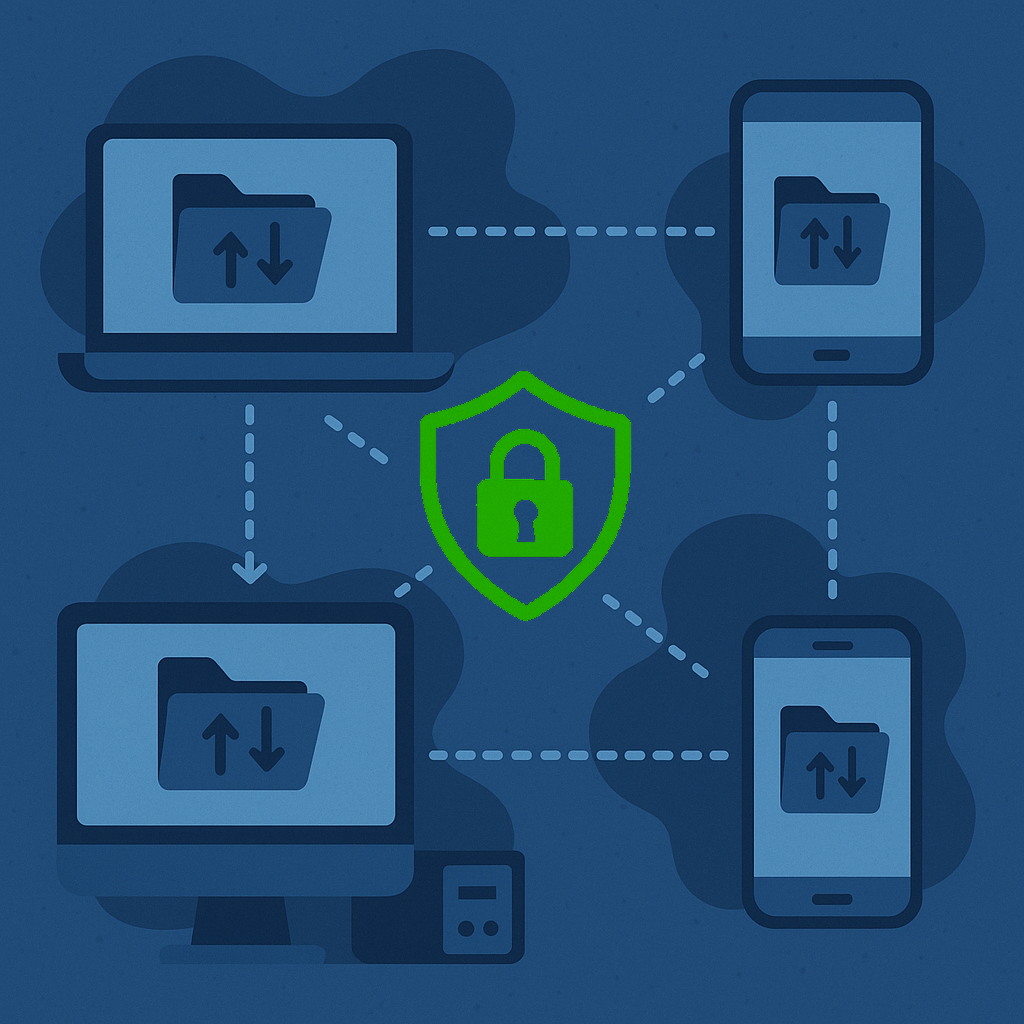
When it comes to encryption of communications, both solutions offer a very good level of protection. Syncthing encrypts all exchanges via TLS (the SSL/TLS 1.3 protocol), which is equivalent to the security of a banking connection over HTTPSclubic.com. Resilio Sync, for its part, uses 128-bit AES encryption in CBC mode with Diffie-Hellman key exchange (details inherited from BitTorrent Sync) – which, in practice, is just as secure for preventing eavesdropping on the trafficclubic.com. In both cases, the encryption is end-to-end: a file that is sent can only be decrypted by the devices authorized to receive it. If data passes through a relay or a third-party (discovery) server, it remains encrypted. This "zero-knowledge" architecture ensures that an intermediary host (or an attacker on the network) cannot read your files.
In terms of peer authentication: Syncthing requires manual approval of devices (coupled with the exchange of TLS certificates), which makes it virtually impossible for an intruder to insert themselves into your sync without your having explicitly added them. Resilio Sync, based on sharing keys, relies on the confidentiality of the secrets: as long as you do not disclose the link or the secret key of your folder, no one can join it. This is secure, but it means you have to transmit these keys in a secure way (e.g. not through an unencrypted email if it is highly sensitive; prefer a trusted channel). Note that Resilio offers revocation options: you can at any time remove a device from a folder's list of authorized peers, or generate a new secret key to exclude old links.
Neither tool encrypts data at rest by default (that is, on disk once synchronized). If your machines are compromised, the files are visible like any normal file. Security therefore rests on that of your endpoints: it is advisable to encrypt your hard drives if that is a policy where you are, or to use operating-system options (BitLocker, FileVault, and so on) to protect locally stored data. There is, however, a clever feature in Resilio: you can add an "encrypted peer" to a share. This peer receives the encrypted data blocks, without ever being able to decrypt them, and stores them as is. It serves in fact as a secure replication node. This can be useful if, for example, you want to back up your files to an untrusted external VPS: you install Resilio in "Encrypted Folder" mode on this VPS, it will synchronize everything but remain unable to read your data (this peer does not have the decryption key). Then, if one day you suffer a disaster, you can take the data back from this encrypted peer and re-synchronize it to a normal peer, which will decrypt it. Syncthing has no direct equivalent to this feature (you could encrypt at the file-system or container level, but it is not native to the tool). So for encrypted backups on a third-party site, Resilio scores a point.
Vulnerabilities and reliability
When it comes to software vulnerabilities, open source has the advantage of transparency: because Syncthing is auditable, the community can spot and report any flaws. To date, Syncthing has not had a major public integrity or confidentiality flaw (which does not mean it is perfect, but nothing dramatic has been revealed). Resilio, due to its closed code, relies on the company's internal audits. We can assume they put the resources in, given the enterprise user base, but we have no visibility. No "data leak" type incident via Resilio Sync has been reported either, to our knowledge. It is therefore reasonable to think that both are safe to use if configured correctly.
Reliability is important too: losing files or having corrupted data would be a nightmare. Both tools maintain robust index databases (in case a local database is corrupted, it is possible to regenerate it by rescanning the files). Some users have reported issues with Resilio in the past: for example, files placed in Archive with no explanation, or poorly handled conflicts that could lead to file lossesforum.resilio.com. One contributor mentioned having "lost files too often with Resilio to sleep soundly"forum.resilio.com, while another managed 60 peers and 2 TB without any lossforum.resilio.com – experiences vary. Syncthing, for its part, has worked a lot on conflict-resolution mechanisms and robustness in the face of abrupt disconnections. LWN (the Linux magazine) wrote, in fact: "The developers seem to have done what was needed to create a system that is capable, reliable, secure, and that offers good performance, while remaining easy to configure", noting that few open source projects combine technique and usability to such a degreeen.wikipedia.org. This remark indicates that Syncthing has reached a level of maturity satisfactory for professional use. In practice, whether it is Syncthing or Resilio, it is strongly advised to enable the versioning/backup options to guard against human error or possible bugs. An external backup plan (for example, a weekly backup of the main server) is always prudent: synchronization does not completely replace a backup policy.
Digital sovereignty and independence
For many organizations (government institutions, businesses handling critical data, and so on), digital sovereignty and autonomy are decisive criteria in the choice of digital tools. This is especially true for Quebec and Canada, where experts have recently lamented an excessive dependence on American solutions and closed software, calling for investment in local or open source alternativesreddit.comreddit.com.
In this context, Syncthing appears as a solution aligned with these values: open source software developed in a community-driven way (with Europe, incidentally, being a heavy user), no transfer of data abroad, no proprietary lock-in. A Quebec business that adopts Syncthing keeps its data at home (on its own servers or workstations) and can even contribute to the project or modify it according to its needs. We can thus speak of data sovereignty: your files are not subject to the laws of another country via a third-party host. Even the Syncthing discovery servers (if they are used) only store IP addresses and IDs, nothing sensitive, and it would be possible to host them in Canada if you wished. By comparison, using OneDrive or Dropbox means potentially storing data outside the country, with legal obligations (Cloud Act, Patriot Act) that can allow foreign governments to access the data. Avoiding this is a matter of national security according to somereddit.comreddit.com.
Resilio Sync, although it does not store your files in the cloud, remains the product of a company based in the United States (the team is distributed, but legally Resilio Inc. is US-based). There is therefore a licence agreement to accept, with potential transfer of metadata (the software could send usage or error information to Resilio's servers – even if nothing of the sort is clearly stated without consent, we do not have the transparency of the code). For a business that wants to minimize its dependence on foreign vendors, this factor can be a deterrent. That said, compared to sending your data to Azure/AWS, using Resilio remains much more sovereign (the raw data does not leave your machines). You could see it as a compromise: partial independence (no cloud, but software you do not control).
In short, from a "freedom vs. convenience" standpoint, Syncthing embodies total freedom (but requires a bit more skill), while Resilio offers convenience at the price of dependence. At the scale of an SMB, the difference may seem theoretical, but at the scale of a public administration, it carries weight (all the more so since governments increasingly encourage the use of open source and local solutions so as not to lose digital sovereignty). As one Internet user puts it: "We have to explore solutions that do not depend on obscure private code, even if it means directly funding the open source projects"reddit.com. Syncthing is typically the kind of open source project that a community could adopt and support, rather than paying licences to a foreign company.
Concrete examples of business use
To illustrate these concepts, there is nothing like real-world use cases. Here are a few credible examples of how Syncthing or Resilio Sync can be put into practice in a professional context, along with the benefits obtained.

- Collaborative multi-site video editing: a video production agency based in Montreal, with editors spread across several cities, has to work on the same large projects (several terabytes of video footage per project). Rather than moving these huge files through a central server or external hard drives sent by mail, the agency set up Syncthing. A main storage server is installed at headquarters; each editor, at home, has a dedicated NAS or PC configured as a "synchronization node." Syncthing continuously synchronizes the project folder between the office server and the 7 remote editorsreddit.com. As soon as an editor imports new footage or modifies a sequence, the data propagates to the others. Today, about 5 TB of data is synchronized among everyone, and this is growing rapidly as projects pile upreddit.com. The company even plans to split into two synchronization groups to limit bandwidth, with each editor having only part of the projects according to their needsreddit.com. This real-world feedback shows that Syncthing can support large volumes (several TB) and numerous nodes. The agency's technical director reports that "the software is very reliable; no constant supervision has been needed" and that it has revolutionized their workflow. One of the noted advantages is speed: the local editors in Montreal receive the data over the gigabit LAN (when they are at the office), while the remote editors retrieve the changes over the Internet at night. No more long waits to download footage: everyone has a synchronized local copy, which even allows working offline (on the local copy) and letting the sync catch up as soon as the connection is available. This kind of P2P solution thus allowed the agency to avoid the purchase of an expensive cloud server and to secure confidentiality (clients' footage stays internal).
- Synchronizing work folders between desktops and laptops: take the case of a graphic design SMB (10 employees). They handle Adobe Illustrator, Photoshop, and other files stored on a NAS at the office. With partial remote work, they needed everyone to be able to have the up-to-date files on their laptop at home. Instead of using Dropbox (cost and confidentiality issues for client mock-ups), they opted for Resilio Sync. Each employee has Resilio installed on their desktop at the office and on their laptop. A "Projects" folder is synchronized P2P via the central NAS that stays on at the office. That way, in the evening, an employee working from home already has on their laptop all the files updated during the day. If they make changes at night, their office PC will receive them via the NAS. Management appreciated the ease of use of Resilio: the designers, not very "IT," only had to click on an invitation link to join the shared folder, and everything fell into place. They use the selective sync feature because the full folder is 500 GB, and not all projects are of interest to everyone. Each designer downloads locally the 2 or 3 projects they are working on, the rest staying as placeholders. This saves space on the laptops' SSDs and avoids needlessly synchronizing 500 GB across 10 machines (which would mean 5 TB of traffic!). For a client meeting, the SMB's salesperson uses the Resilio mobile app on an iPad to quickly access a PDF or an image in the shared folder – with no Internet connection required once the files are synchronized locally. This scenario shows how a P2P sync can advantageously replace a cloud service by offering more control: the data stays on the company's NAS (backed up regularly), and no third-party provider has access to it, while still giving the flexibility of mobile and remote work.
- Backup and server duplication between sites: imagine a manufacturing company with two plants, one in Quebec City, the other in Sherbrooke. Each site generates data (production reports, drawings, and so on) that absolutely must be backed up and made available to the head office in Montreal. Rather than relying on a potentially slow Internet connection to access remote files, they decide to set up a multi-site synchronization. A Syncthing server is installed in each plant, bidirectionally synchronizing a set of critical folders (for example, "Quality," "Maintenance," "Local HR"). In addition, the head office in Montreal has a central server that also synchronizes these folders from both sites (you can configure Syncthing so that there are 3 copies – site A, site B, head office). That way, each site has the other site's and the head office's data locally, always up to date. If the Internet link goes down, no worries: each site can keep working on its local copy and the synchronization will catch up when the link comes back. It is a form of geographic redundancy via P2P. This company appreciated the reduction in access times: the Sherbrooke employees open the files as if everything were local (since it is, thanks to Syncthing), whereas before they had to mount a network share on the Quebec City server via VPN, with slowness. On the backup side, the fact that the head office receives everything ensures an additional copy. They combine this with Syncthing versioning (each deletion goes into .stversions and stays there 30 days) to make up for any error. This use case clearly shows the strength of P2P in a multi-site setup: no more single server that, if it goes down, makes everything inaccessible; each site becomes an equivalent node. It is a more resilient model and often more performant locally.
- Sharing confidential documents between partners: a law firm wants to exchange large documents with a partner accounting firm for a client matter, in a secure way. Rather than using email (not secure for large docs) or a cloud service (risk of a breach, or complicated rights management), they agree to use Resilio Sync by creating an encrypted shared folder. The advantage is that only the two parties' PCs have the files (no copy at a cloud provider). They can easily add new documents that will be received within a few minutes on the other side. Traceability is also a benefit: Resilio lets you see which files are currently syncing or the date of the last sync, so you know when the other party has received the document. This kind of point-to-point use is a bit like a modern FTP, but better, because it is automatic as soon as you drop the file, and encrypted end-to-end. Naturally, this could be done with Syncthing too – here the choice of Resilio may be motivated by the simplicity of the invitation link for the non-technical partner. This case illustrates how P2P can also serve secure inter-company sharing, without heavy infrastructure.
- Backing up a dispersed computer fleet: a small IT services company manages the maintenance of several small regional medical clinics. Rather than setting up an expensive backup server per clinic, they deploy Syncthing on the PCs of each site (each has a local NAS). They configure Syncthing so that each clinic NAS sends its encrypted backups to a central server located at the service company's head office (in receive-only). Thanks to "receive-only" mode and by encrypting the data on each site (via the local backup tool), the central server aggregates all the backups without ever handling data in the clear. It is a P2P architecture (each clinic is a peer sending to the central peer). This resembles client-server, certainly, but by using Syncthing they benefit from robustness against outages (if a network connection is unstable, Syncthing quietly resumes where it left off, with no intervention needed) and from efficiency (compressed transfer, and so on). What's more, they did not have to open lots of ports or configure complex VPNs: Syncthing handles NAT traversal all on its own. This kind of repurposed use (one-way synchronization for backups) is fairly common and proves the flexibility of P2P sync.
These varied examples show that P2P solutions such as Syncthing and Resilio Sync find their place in many sectors: audiovisual, design, industry, services, legal, and so on. Anywhere there are files to share and where you want to keep a hand on your infrastructure, they bring speed, confidentiality, and autonomy. Of course, they sometimes require an initial setup phase by an IT person, but once in place, they are often discreet "workhorses" that get the job done behind the scenes, 24/7.
Conclusion: which solution for which need?
In conclusion, P2P file sharing stands out as a credible and effective alternative to centralized cloud services, especially in a professional context concerned with security or network constraints. Syncthing and Resilio Sync, each in their own way, embody this decentralized approach. So, which to choose? It depends on your priorities:

- If your priority is sovereignty, transparency, and autonomy: Syncthing is the natural choice. Open source software, no account to create, data controlled end to end. It suits organizations that value open source, that may want to integrate the solution in a custom way, or that have strict policies on approved software. Syncthing will also be appreciated by technical teams who like to understand and control their infrastructure. Moreover, its zero cost allows it to be adopted broadly with no budget impact. In return, be prepared to invest a bit of time in the initial configuration and getting started (documentation, tests). Syncthing excels in cases like "I want my own secure home-made Dropbox," "I want to synchronize our sites without a vulnerable central point," or "I want to unify the team's files without paying for a cloud." If you have a comfortable system administrator, they will be able to deploy Syncthing on your workstations and servers fairly quickly and give you a robust and independent solution.
- If your priority is ease of use, advanced features, and support: Resilio Sync will have your favour. For non-technical end users, its interface and its link-based invitation process will be more accessible. If you absolutely need selective synchronization, that is almost a decisive argument in favour of Resilio (at least as long as Syncthing does not offer it natively). On workstations with little space, or if not everyone needs to receive everything, on-demand sync is a must. Likewise, on iOS mobile, Resilio offers an experience that Syncthing does not yet match. Finally, if your business wants to be able to call support in case of trouble, or likes the idea of having a scalable Enterprise version, Resilio can be reassuring. Bear in mind, however, the cost of the licences: for 5, 10, 50 users, calculate the budget and make sure the benefits (selective sync, support, and so on) justify it compared to free Syncthing. In many cases, the user time saved and the convenience will justify the cost. Resilio is particularly recommended for scenarios such as "we want to synchronize 2 remote NAS very quickly," "we have 10 mobile salespeople on iPads who need to access up-to-date docs," or "we have hundreds of gigabytes of media to share but each person only consumes part of it." There, Resilio will shine.
- Security and confidentiality: on this aspect, both tools are excellent, but Syncthing takes the lead for ultra-sensitive environments thanks to its auditable code. If you handle highly confidential data and every line of code has to be verified (defence, medical, and so on), Syncthing fits better into a zero-trust security policy. Resilio is not weak for all that: its encryption is solid and there is no third-party cloud, so for 99% of professional uses confidentiality will be assured. If you need certifications or compliance (ISO, GDPR, and so on), note that it is up to you to manage them, because neither Syncthing nor Resilio has external attestation (since there is no certifiable third-party service). These are self-hosted tools: the final security will also depend on how you use them (encrypting disks, managing user access, and so on).
- Performance and data volumes: to synchronize huge sets of files, you will not be disappointed by either Syncthing or Resilio. Resilio has a slight historical edge in raw speed (BitTorrent-optimized) – if you regularly synchronize tens of TB and every minute counts, perhaps Resilio Connect is worth evaluating. Syncthing, however, is no longer far behind in terms of performance, and it is very efficient on LANs, for example. If your use case is synchronization on the same local site, Syncthing is perfect (it discovers peers locally and syncs directly at full speed). If it is global synchronization over the Internet, Resilio may better handle latency or multiple sources. In all cases, the bottleneck will often be your network: make sure you have good throughput if you want to synchronize quickly (P2P solutions do not work miracles if you only have an ADSL connection… in that case the upload will take time either way).
- Mobility and cross-platform: if your users are very mobile or if you absolutely must include smartphones/tablets in the synchronization scheme, Resilio is more ready at present. On the other hand, for purely PC/server use, Syncthing is more than enough. Some even run both side by side: for example, Syncthing between servers and PCs, but the Resilio app on an iPhone to retrieve certain files (without necessarily synchronizing everything). It is not ideal, but it shows that you can be pragmatic and use each tool where it excels.
In conclusion, there is no absolute winner: Syncthing will suit those who want an open source tool, controlled end to end, with maximum confidentiality and no cost, while Resilio Sync will suit those who favour simplicity and premium features such as on-demand sync, while accepting a proprietary solution. In all cases, these P2P solutions offer a powerful alternative to centralized models. They give users back control of their data, often improve internal performance (notably on the LAN or between sites), and eliminate the dependence on a permanent Internet connection to access your files (since each device has a synchronized local copy).
For many Quebec businesses (and elsewhere), this can mean savings (fewer external servers, fewer subscriptions) and a gain in peace of mind regarding the confidentiality of information. Of course, setting up such a solution requires a little thought (P2P architecture, who hosts what, a recovery plan in case several nodes fail, and so on), but once operational, it can run in the background remarkably reliably.
So consider these tools for your next file-sharing projects: whether it is Syncthing or Resilio Sync, you might well find in them the best of both worlds: easy synchronization as in the cloud, without the cloud.
Sources and bibliography
- Wikipedia (FR) – Partage de fichiers en pair-à-pairfr.wikipedia.orgfr.wikipedia.org – (definition and technical advantages of P2P).
- Ubuntu-FR Documentation – Syncthingdoc.ubuntu-fr.org – (overview of Syncthing, open source secure P2P synchronization software).
- Clubic – 2025 comparison of synchronization toolsclubic.comclubic.com – (sections on Resilio Sync and Syncthing: advantages, encryption, community, rating).
- Reddit (r/Syncthing) – How do you use Syncthing?reddit.comreddit.com – (testimonial from a business user synchronizing 5 TB of video projects between 7 editors with Syncthing).
- Reddit (r/Quebec) – Discussion on digital sovereigntyreddit.com – (expert comments on the importance of solutions without private code and of data control in Quebec).
- Resilio Forum – Resilio vs Syncthingforum.resilio.comforum.resilio.com – (exchanges on the differences in Pro features: selective sync, encrypted folder, scheduler, and the peer-oriented vs device-oriented approach).
- TrueNAS Community – Syncthing vs Resilio Sync speedtruenas.com – (feedback from a user observing higher "out-of-the-box" speeds with Resilio on a Gigabit network).
- Wikipedia (EN) – Syncthingen.wikipedia.orgen.wikipedia.org – (technical details on Syncthing: protocol, TLS security, versioning, glowing LWN quote on reliability).
- Resilio Forum – Sync Storiesforum.resilio.comforum.resilio.com – (experience of advanced Resilio users: reliability, support issues, the asset of selective sync, and so on).