TL;DR: a professional brand guide can be built with fonts under SIL OFL (Lexend, Inter, Atkinson Hyperlegible), photos from Pexels and Unsplash, icons from Phosphor or Tabler, and libre tools like Penpot and Inkscape. License cost: zero. Time cost: a few afternoons. The result holds up and stays 100% yours.
In this article
- The concept: typeface, palette, logo, photo tone, icons: what such a document actually defines.
- Typography: Lexend as a textbook case: Lexend, a variable font family, for zero dollars.
- Images: Pexels, Unsplash and their cousins: Shutterstock sells from US$29 an image, or US$25 a month for ten.
- Icons: a mature pool: this is the area where open source has most thoroughly beaten the commercial packs.
- Colors: getting out of "corporate blue": a palette isn't bought, it's chosen, but the tools for building one are worth naming.
- The tools to put it all together: Penpot and the others, for producing the final brand-guide PDF.
- The blind spots: the logo itself needs someone to design it: open source does not cover everything.
- Who deserves the credit: behind Lexend, Pexels and Phosphor are people whose work you are benefiting from.
You're launching your non-profit. You need a website, business cards, a PowerPoint for the board, maybe a banner for a booth. The designer you consulted is asking $6,500 for a full brand guide. The firm next door wants $12,000. And that's before adapting it to all the formats.
For many SMBs and non-profits in Quebec, that money isn't in the budget. But without a brand guide, the website looks scary, presentations are inconsistent, and every employee picks a different font on their machine.
There's another path: assembling a clean brand guide with libre-licensed assets. CC0, SIL Open Font License, MIT, Apache 2.0: these licenses let you build a complete visual identity, usable commercially, without paying a cent in royalties. Here's the recipe we use with clients who don't have $10,000 to put into branding.
The concept
A brand guide is a document that defines how your brand shows up: primary and secondary font, color palette, logo and its variants, photo tone, icons, layout rules. It can be 5 pages or 80, depending on the size of the organization.
The idea behind a 100% libre brand guide is to replace every purchase with a community equivalent. Not a stripped-down free version: a professional-quality asset, designed by designers or foundations that chose to share it under a permissive license. You don't pay for the creation, but you benefit from the work of thousands of contributors.
Typography: Lexend as a textbook case
A serious brand has at least a heading font and a body font. You can have both for zero dollars.
Lexend is a great example. It's a variable font family designed by Bonnie Shaver-Troup and Thomas Jockin, specifically built to improve readability and reading fluency. It's distributed under SIL Open Font License 1.1, which means: commercial use allowed, modification allowed, integration into products allowed, no royalties.
You can download it directly from Google Fonts, self-host it via Fontsource, or drop it in your Nextcloud Brand folder for the whole team. No per-seat license, no Adobe Fonts subscription.
For the secondary or display font, hundreds of other SIL OFL fonts exist: Inter, Public Sans, Source Sans 3, Atkinson Hyperlegible (designed by the Braille Institute for low-vision readers), Recursive, Outfit, Manrope. All usable commercially, with no attribution required in most cases.
The criteria for choosing: pick fonts with a full family (regular, italic, bold, and ideally weights 300 to 800), good French accent support, and ideally a variable version for the web.
Images: Pexels, Unsplash and their cousins
Stock photos are the other budget line that explodes fast. A library like Shutterstock sells single images starting at US$29, or via subscription starting at US$25/month for 10 images on an annual plan. For an SMB producing content regularly, that can climb to thousands of dollars a year.
Three platforms cover the vast majority of needs:
Pexels: photos and videos under the Pexels license, commercial use allowed, attribution not required. The catalog is huge, quality varies but is often excellent.
Unsplash: similar license, commercial use allowed without attribution. The style is more uniform (a "modern" aesthetic) and average quality is higher. Note: if you integrate the Unsplash API into an app, attribution becomes mandatory for that specific case.
Pixabay: photos, vectors and videos under the Pixabay License, commercial use allowed without attribution. Broader than Pexels and Unsplash in terms of variety, including illustrations and clipart.
For more specific needs, two additional resources: Wikimedia Commons (often CC-BY or CC0, check image by image, huge catalog of historical, scientific, architectural photos) and Openverse (the WordPress aggregator that indexes Flickr, Smithsonian, NASA and others).
The trap to avoid: AI-generated images that have been slipping into Pexels and Unsplash for the last few years. Not illegal, but often detectable and sometimes clumsy. Filter them out if you want the "real" thing.
Icons: a mature pool
Icons are probably the area where libre has most clearly outpaced commercial. Modern libre icon libraries are better than the majority of paid packs from 5 years ago.
Phosphor: 1,500+ unique icons available in 6 weights (thin, light, regular, bold, fill, duotone), MIT license. Probably the most versatile.
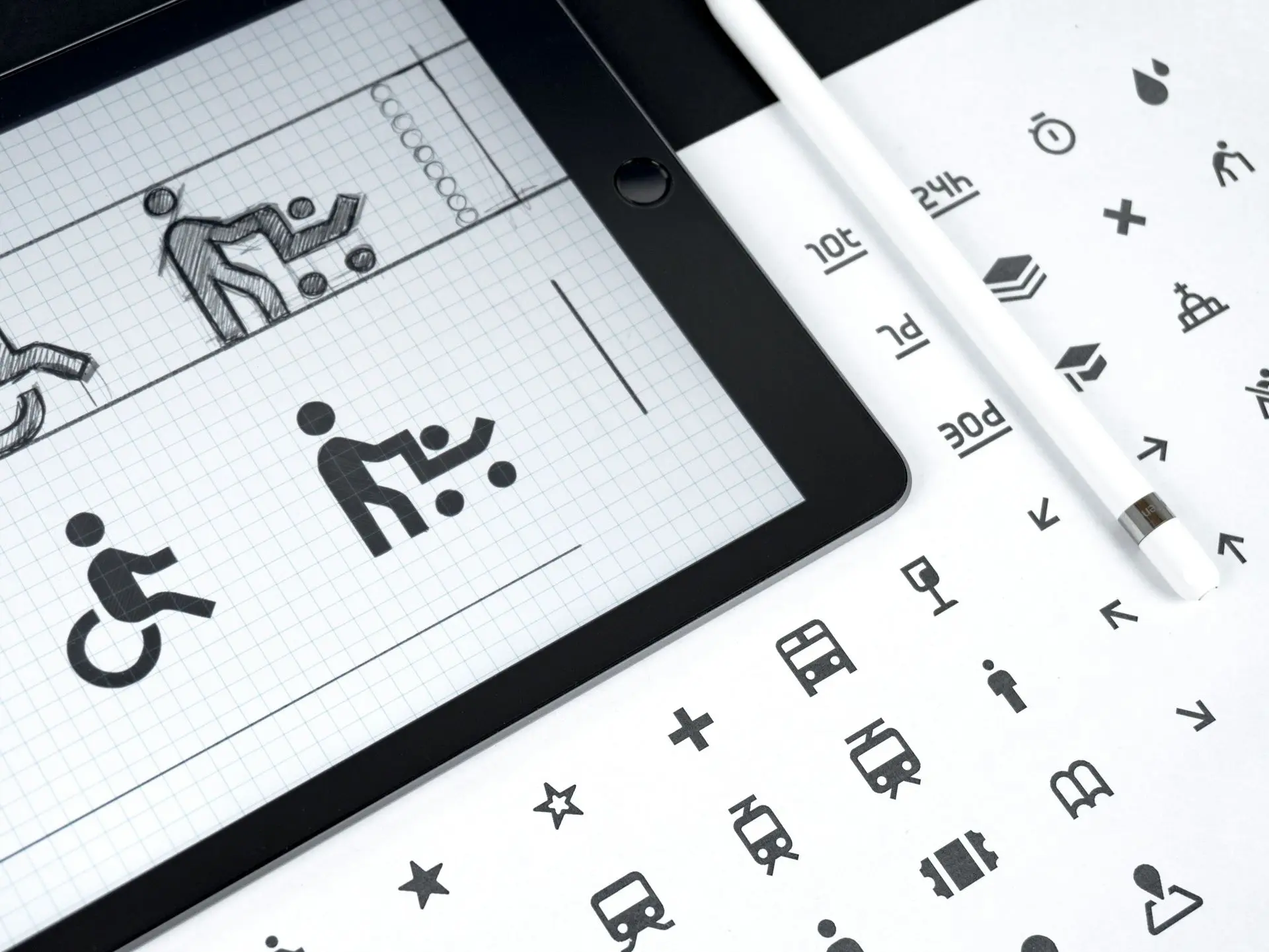
Lucide: 1,700+ icons, a community fork of Feather Icons, ISC license. Minimalist style, thin line, very readable.
Tabler Icons: 6,000+ SVG icons under MIT license, consistent 24×24 grid with a 2 px stroke. Heavily used in dashboards.
Heroicons: 316 icons from the makers of Tailwind CSS, MIT license. Consistent style, four variants (outline, solid, mini, micro).
OpenMoji: a libre alternative to Apple/Google emojis, under CC-BY-SA 4.0. Useful when you need expressive pictograms without depending on each operating system's rendering.
For the brand guide, the key is to pick ONE library and stick with it. Mixing Phosphor and Heroicons breaks visual consistency even if each icon is beautiful. Our take: Phosphor for breadth, Tabler for dense interfaces, Heroicons for simple sites.
Colors: getting out of "corporate blue"
A color palette isn't something you buy, it's something you choose. But the tools to build it are worth naming.
Coolors: an online palette generator with a free tier that's enough to produce a brand guide (10 saved palettes, exports as HEX, RGB, HSL, CSS or SCSS variables). The Pro tier removes ads and lifts the limits.
Realtime Colors: lets you preview a palette directly on a site mockup. Excellent for testing before locking it in.
WebAIM Contrast Checker: a free tool to verify that your color combinations meet WCAG ratios (4.5:1 for body text, 3:1 for large text). Essential if you're aiming for accessibility compliance.
Open Color: an open source palette maintained by Yeun Park, under MIT license. Designed for interfaces, with 13 color families and 10 shades per family, already calibrated for contrast.
The rule for the brand guide: 1 primary color, 1 secondary, 1 accent, plus a grayscale. Five colors max, otherwise things spiral as soon as someone other than you starts using it.
The tools to put it all together
To produce the final brand guide PDF, you have several libre tools to choose from:
Penpot: the libre equivalent of Figma, self-hostable or usable as a free SaaS. Lets you build the visual guide page by page, with reusable components and a design token system (design variables that sync between mockup and code).
Inkscape: a vector SVG editor, perfect for the logo and all its variants (favicon, horizontal version, monochrome version, dark-background version).
GIMP: for photos, retouching, raster compositions. Not as polished as Photoshop, but 95% of everyday needs go through it.
Scribus: for laying out a 40 to 60 page brand guide PDF, this is the libre equivalent of InDesign. PDF/X output suitable for professional printing.
LibreOffice Impress or Draw: to produce the internal templates (presentations, letters, letterheads) that employees will actually use. Because a brand guide that lives in a PDF nobody opens is worth nothing.
Our default stack when we help clients build their first brand guide:
- Heading and body font: we really like Lexend or Inter (SIL OFL)
- Photos: Pexels first, Unsplash as a complement
- Icons: Phosphor in regular style
- Colors: Coolors to generate, WebAIM to validate accessibility
- Layout: Penpot for the visual, Scribus for the final PDF
- Internal templates: LibreOffice, delivered in Nextcloud to the whole team
The blind spots
Not everything is covered by libre, and we should be precise about what isn't.
The logo itself: someone needs to design it. You can use libre tools to draw it, but the creative idea and composition require a designer (in-house, freelance, or agency). A generic logo pulled from a generator can be spotted from 100 meters away.
Photos of your team and your locations: Pexels doesn't have a photo of your director or your workshop. A professional photo session is still useful, and it's probably the best $1,500 you'll put into your brand.
Custom illustration: if your brand needs original illustrations (mascot, specific scenes, branded infographics), you need to commission an illustrator. Libre illustration libraries like unDraw (custom license, commercial use without attribution) work for the web, but they're recognizable.
Art direction: assembling libre assets doesn't replace the judgment of someone who knows which font goes with which color, and why. If you don't have anyone with that profile on the team, you'll need to consult someone, even just for 4 or 5 hours of review.
At Blue Fox
When we support a client on a brand refresh, we don't position ourselves as a branding agency. Our role is to assemble the technical stack so the brand guide actually lives: a Nextcloud with a versioned Brand folder where the team finds fonts, the logo in multiple formats, the LibreOffice templates. Often a self-hosted Penpot for iterations.
We collaborate with freelance designers who agree to deliver in open formats (SVG for the logo, Inkscape or Penpot source files). The client walks away with their source files, not just a frozen PDF. If they switch providers in 3 years, their guide is still editable.
We can also set up the Nextcloud repository, the LibreOffice templates and the Penpot instance for your team. Let's talk about your brand identity.
Who deserves the credit
When you pay for an Adobe Fonts or Shutterstock license, your money goes to a vendor. That's legitimate, it's their business. But when you build your brand guide with Lexend, Pexels and Phosphor, you benefit from the work of Bonnie Shaver-Troup, thousands of photographers, the Phosphor team, the Braille Institute for Atkinson Hyperlegible, the contributors of Penpot, Inkscape, GIMP. Humans who decided to share their work so that others could make something with it.
That doesn't mean it's free for them. Many live off donations, sponsorships, parallel contracts, or simply the satisfaction of contributing. If you adopt their work, you can give back: a donation to a libre project when your non-profit gets its funding, visible credit in your brand guide ("Fonts: Lexend by Bonnie Shaver-Troup, under SIL OFL"), a mention in your annual report, a bug report to Inkscape.
A libre brand guide isn't a shortcut to save money. It's joining a network of professionals who decided that visual quality shouldn't be reserved for organizations able to pay $12,000 for a brand guide. It's a political choice as much as an economic one. And, incidentally, it produces excellent results.
Want to talk about your brand?
If you're launching or refreshing your visual identity and you want to assemble it with a libre stack, we can lend you a hand.